Creating Internet Packages Using the XenFi App
Internet packages are essential for managing how users access your hotspot services. With the XenFi App, you can easily create customized packages based on Whether you want to offer daily, weekly, or monthly internet plans, XenFi provides a simple and flexible way to configure them directly from the dashboard.
Why Internet Packages Matter
Creating internet packages allows you to:
Control internet usage and speeds
Offer different plans for different users
Improve customer flexibility
Manage pricing and billing efficiently
Customize packages based on your business model
Steps to Create a Package in XenFi
Step 1
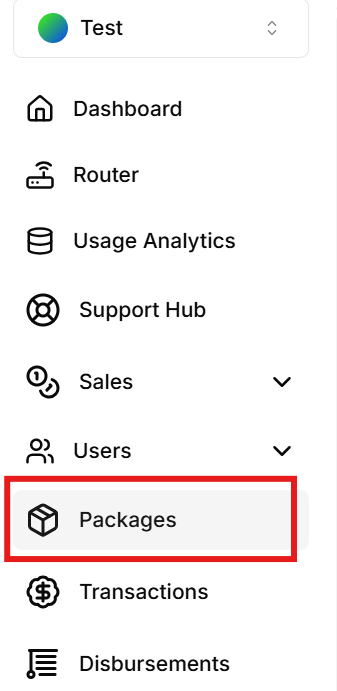
Open the XenFi dashboard and click Menu icon (three vertical lines) located in the top-left corner of the screen(phone view). A navigation menu will appear.
On the PC, look at the left side for the menu.
Step 2
Tap Packages
Step 3
Under the Packages section, tap Create Package
Step 4
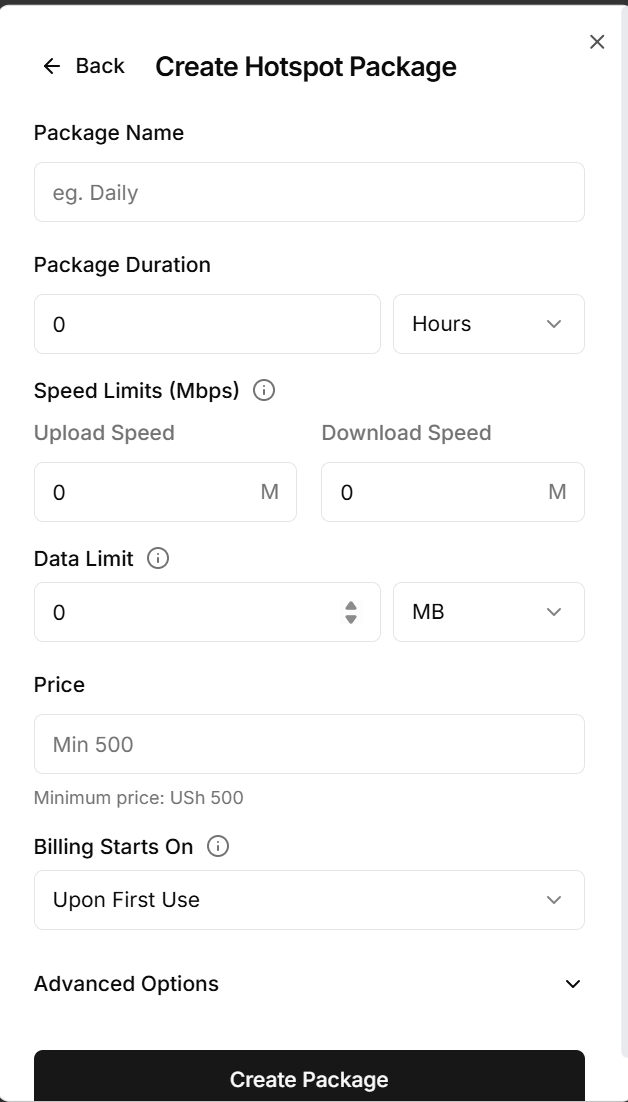
Fill in the required package details:
Package Name – e.g., Daily
Package Duration – e.g., 24 Hours
Upload Speed – e.g., 3 Mbps
Download Speed – e.g., 5 Mbps
Data Limit - e.g. 1GB
Price – Enter the package cost
Note:
Under the Billing section, select option desired.
When Billing Starts Upon First Use , it means the package validity countdown will only begin once the customer first connects to the internet.
When Billing Starts Upon Payment, the package validity period begins immediately after the customer successfully makes payment.
It is therefore required that the hotspot owner selects Billing Starts Upon First Use which is the default to allow users receive the full value of their package duration since the timer starts only when they first access the internet.
Under Advanced Options
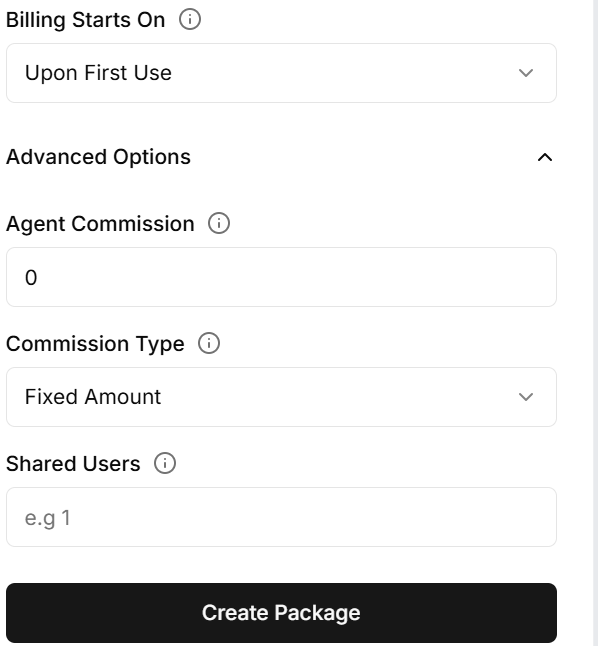
The Advanced Options section includes:
A setting that allows hotspot owners to define the commission given to agents when using the Agent Feature. The commission can be configured either as a percentage or as a fixed amount.
An option that enables the hotspot owner to specify the maximum number of users allowed to access the selected package.
Once all the required configurations have been completed, click Create Package to successfully create the package.
Conclusion
Creating internet packages in XenFi is a quick and efficient way to manage hotspot services. By configuring package durations, speeds, and billing options correctly, you can provide a better internet experience while maintaining full control over your network services.
