How to Request Additional Features in XenFi
As your network grows, you may quickly find yourself hitting XenFi’s default limits. Whether it is being restricted to a certain number of hotspots or lacking access to advanced features like PPPoE, these limitations can slow down your operations and affect your ability to scale efficiently.
In this article, we will explore the steps you need to take to request an increase in the number of hotspots beyond the default limit (8), as well as how to request PPPoE access.
Step 1
Go to xenfi.net and log into your account
Step 2
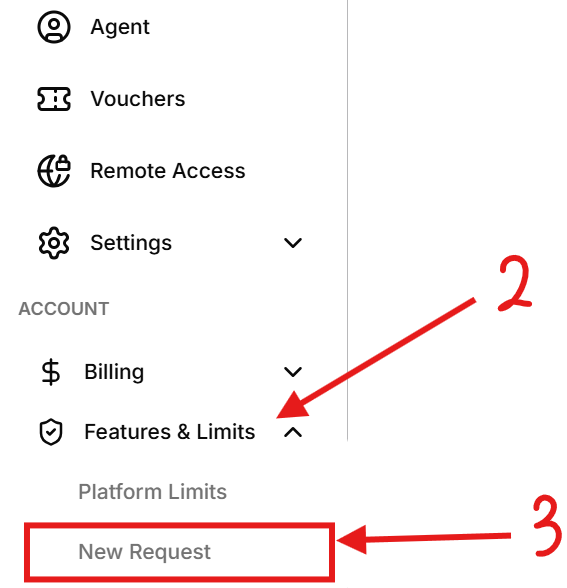
Scroll down to the Accounts section and locate Features and Limits.
Step 3
Click New Request.
Step 4
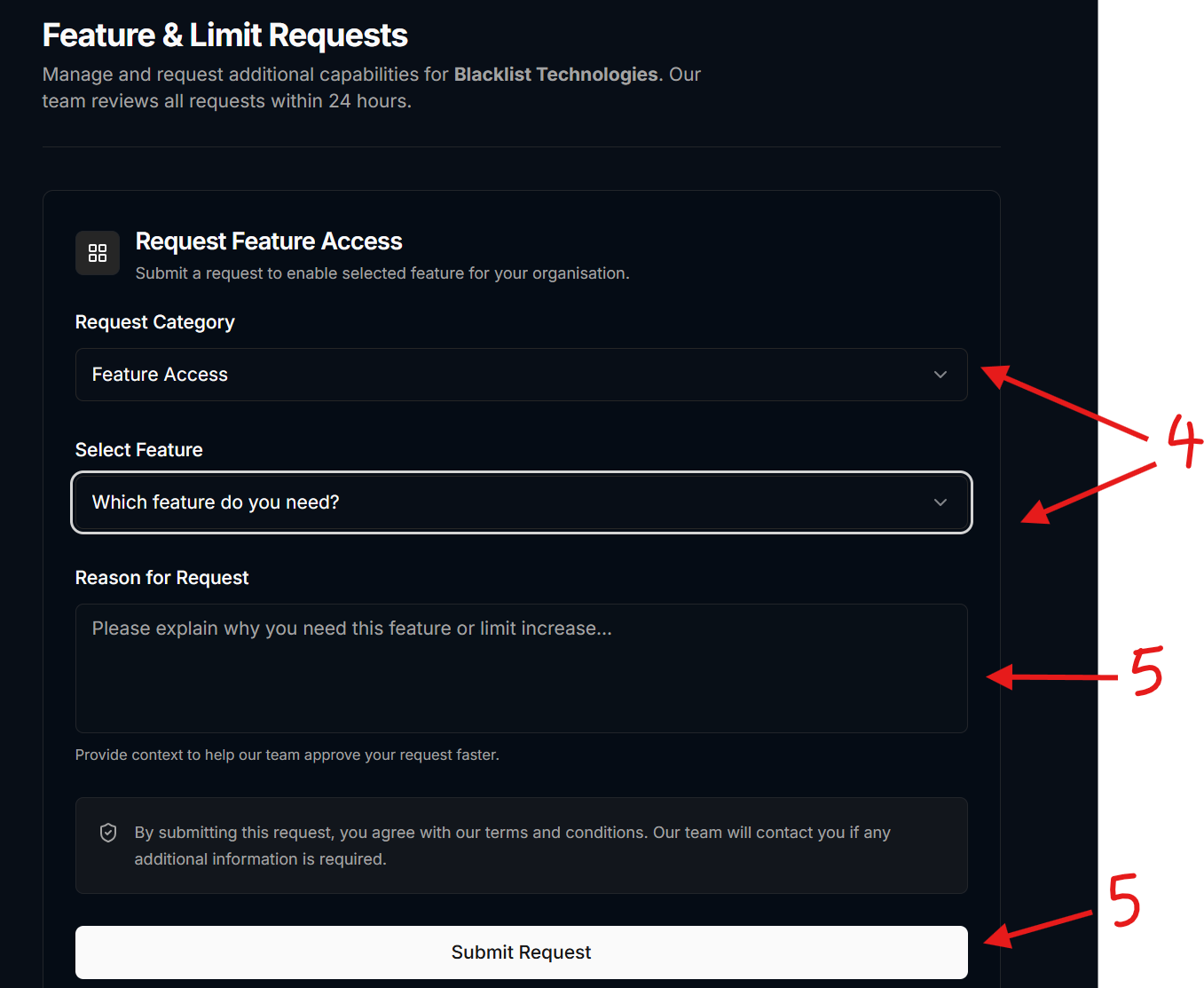
Select the Category you are requesting for (Feature Access / Limit access) as well as the Feature (PPPoE Capabilities / Advanced RADIUS Management)
Step 5
Enter a clear and valid reason for your request, then submit it.
After submission, you will need to wait for feedback from the XenFi team regarding your request.
Note: It is important to note that the Advanced RADIUS Management is usually handled by our technical team during configurations so you may not necessarily request for it.