Your XenFi dashboard is the operational command center of your entire Wi-Fi business. It holds direct access to your payment gateways, Mobile Money payout accounts, transaction logs, voucher generation, and router configurations.
Why Active Session Auditing Matters for Hotspot Operators
In a high-turnover hotspot environment, administrative credentials can be exposed easily, whether you logged into your dashboard from an agent's phone, shared a tablet at a location, or accessed your console over an unsecured public connection.
Regular session audits help you:
Protect Mobile Money & Revenue Accounts: Prevent unauthorized users from altering payout phone numbers or tampering with payment gateway settings.
Lock Down Router & Package Configurations: Ensure no rogue actor modifies your bandwidth profiles, speed limits, or pricing tiers.
Stop Unapproved Voucher Sales: Prevent unauthorized staff or third parties from generating and printing vouchers behind your back.
Follow this diagnostic sequence inside your XenFi dashboard to inspect active sessions and kick out unauthorized hardware.
1.Access Account Management:
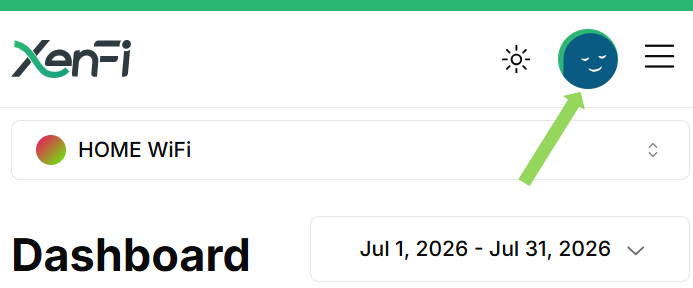
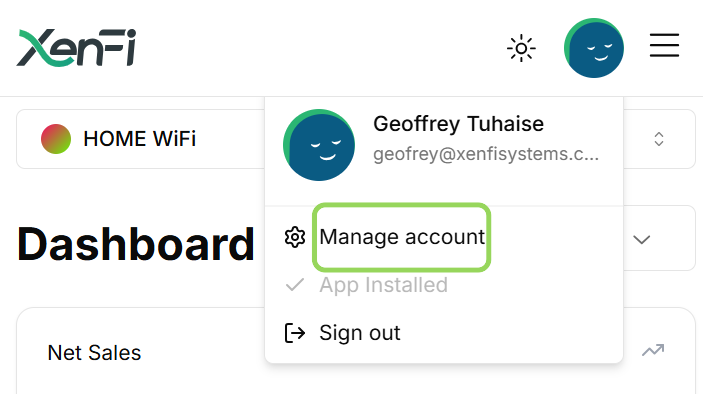
Log into your XenFi Dashboard. Tap the Doll in the top corner, then select Manage Account (the gear/settings icon) to open your primary account preferences.
2.Navigate to Security Settings:
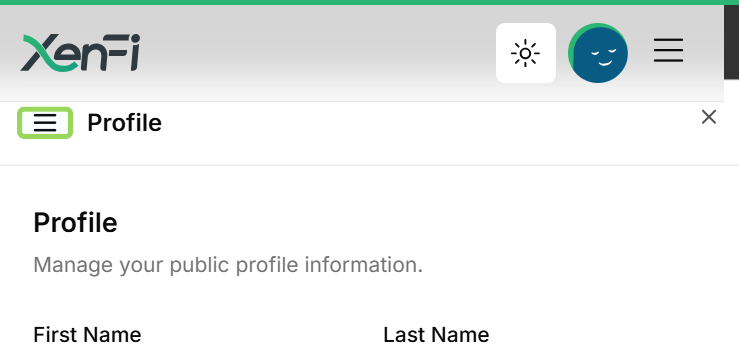
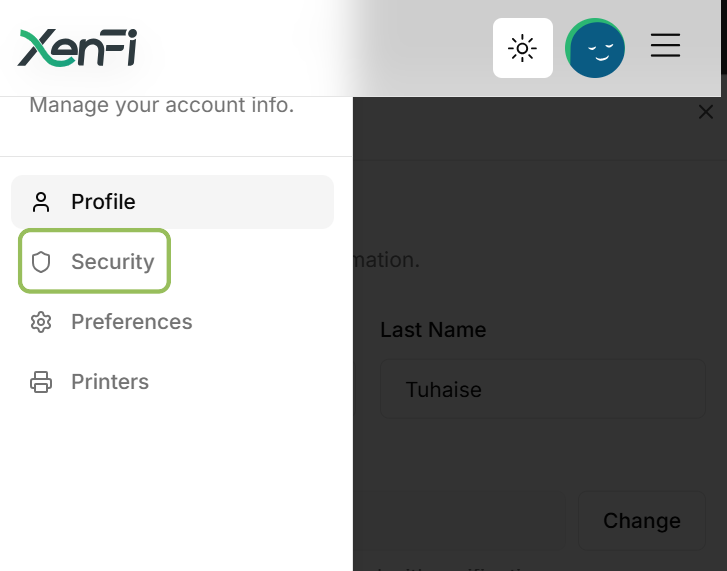
Inside the Account window, tap the Security tab to open your session logs and authentication controls.
3.Inspect Active Devices:
Scroll down to the Active Devices section. Review every listed device name, operating system, and active session timestamp.
4.Evict Unauthorized Hardware:
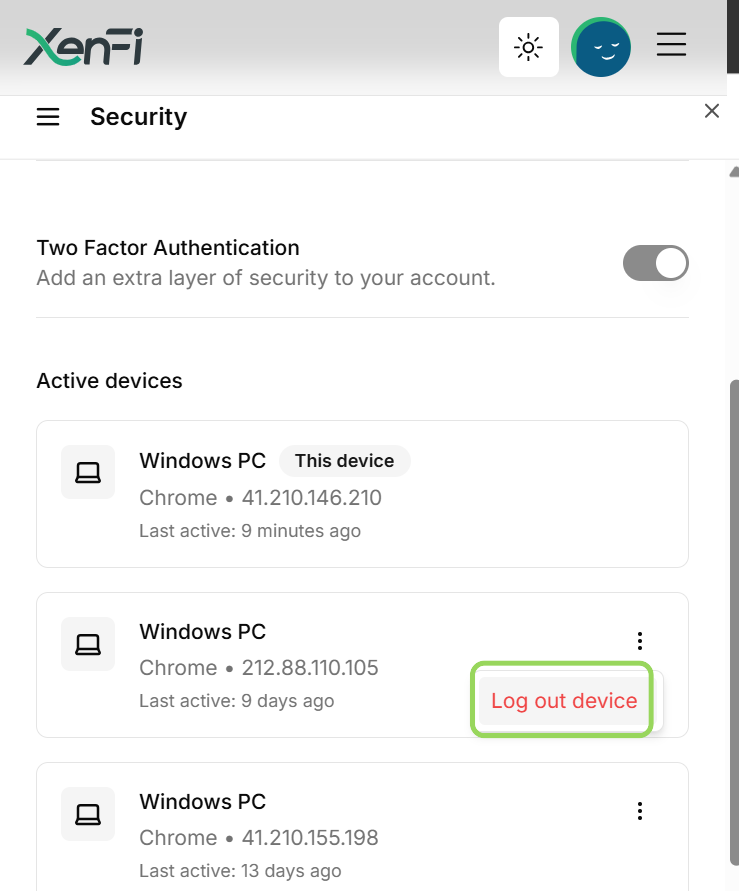
Locate any device you do not recognize, tap the three dots (⋮) opposite to it, and select Log Out Device. The session token will be invalidated immediately, cutting off access to your dashboard.
WARNING: Do Not Log Out "This Device"
Your active phone, tablet, or PC is explicitly labeled as "This Device" in the session list. Do not terminate this session during an audit unless you intend to sign yourself out. Logging out "This Device" invalidates your current session token immediately, requiring you to re-authenticate with your master credentials.
Recommended Security Audit Triggers
Device management should be a routine operational habit. Perform an active device review immediately whenever you:
Log In From Shared or Agent Hardware: Any time you log into XenFi from an agent terminal, thermal printing phone, or public computer.
Update Account Credentials: Always review active sessions immediately after changing your master password to force stale sessions off the network.
Detect Unexplained Account Changes: If voucher logs, package prices, or daily earnings numbers shift unexpectedly.
Quick Reference Security Matrix
Action | Operational Impact | Recommended Frequency |
Audit Active Sessions | Identifies lingering or unauthorized dashboard access. | Weekly / After shared logins |
Revoke Unknown Devices | Immediately severs access to revenue and network settings. | Immediate upon detection |
Protect Primary Session | Prevents accidental self-lockout during live audits. | Ongoing |
Master Password Reset | Invalidate all persistent tokens across all hardware. | Post-incident / Quarterly |
Securing your XenFi account directly safeguards your daily hotspot profits. Making active device reviews a standard practice ensures your network, your data, and your business earnings stay completely under your control.
