Discovering that someone else may have accessed your XenFi account can be stressful. Whether it is unusual disbursements, unfamiliar activity, or simply a suspicion, the most important thing is to act quickly and correctly.
The good news is that there are immediate steps you can take to regain control and secure your account.
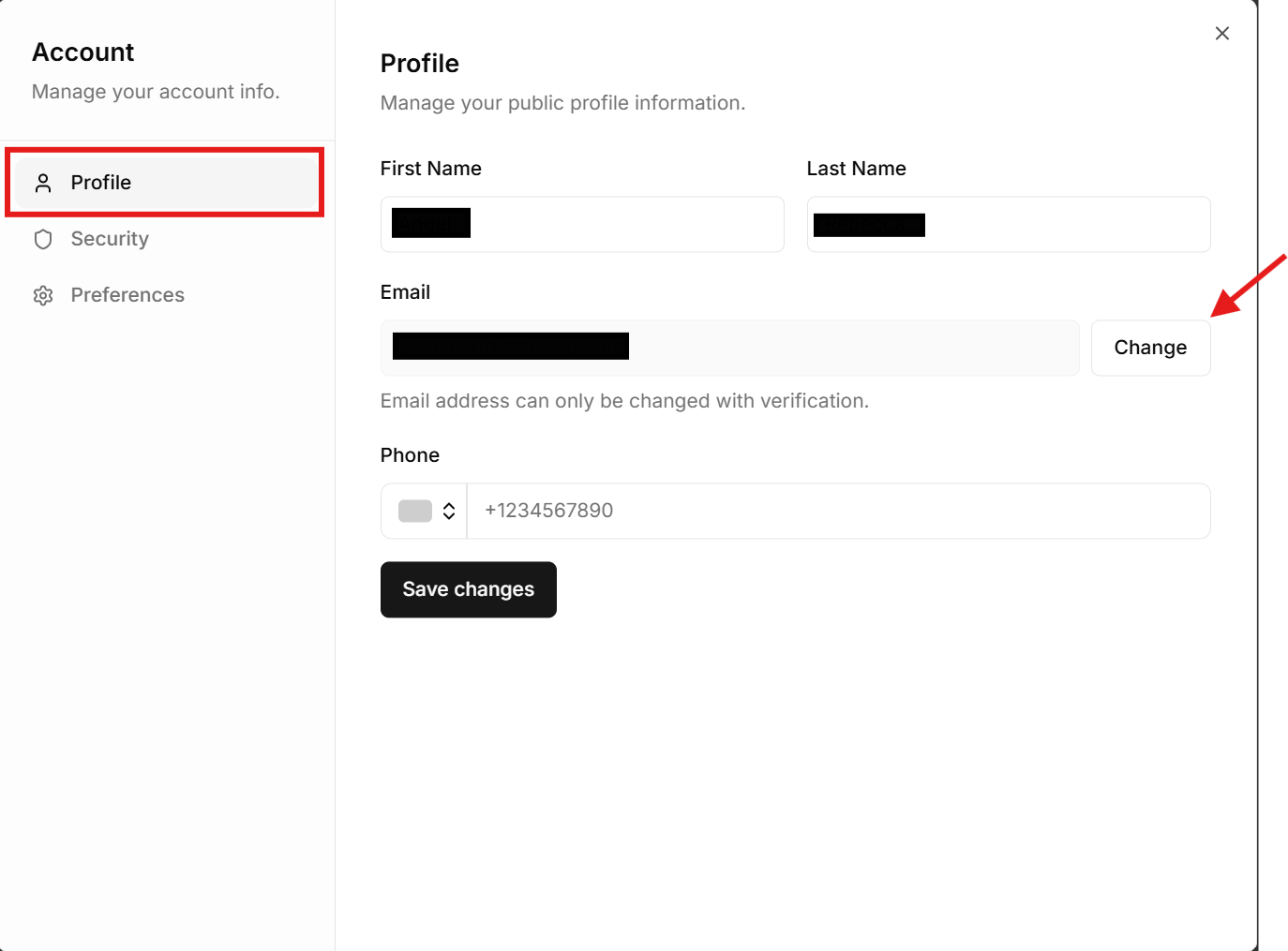
Step 1: Ensure the Email Belongs to You
Your email is the foundation of your XenFi account.
If your account was created by a technician or someone else, confirm that the email linked to the account is yours and fully under your control.
If it is not:
• Update the email to your personal or business email immediately
• Ensure> • Reset your XenFi password after changing the email
If someone else controls the email, they can reset your password at any time. This makes it critical to secure this first.
Step 2: Sign Out All Unknown Devices
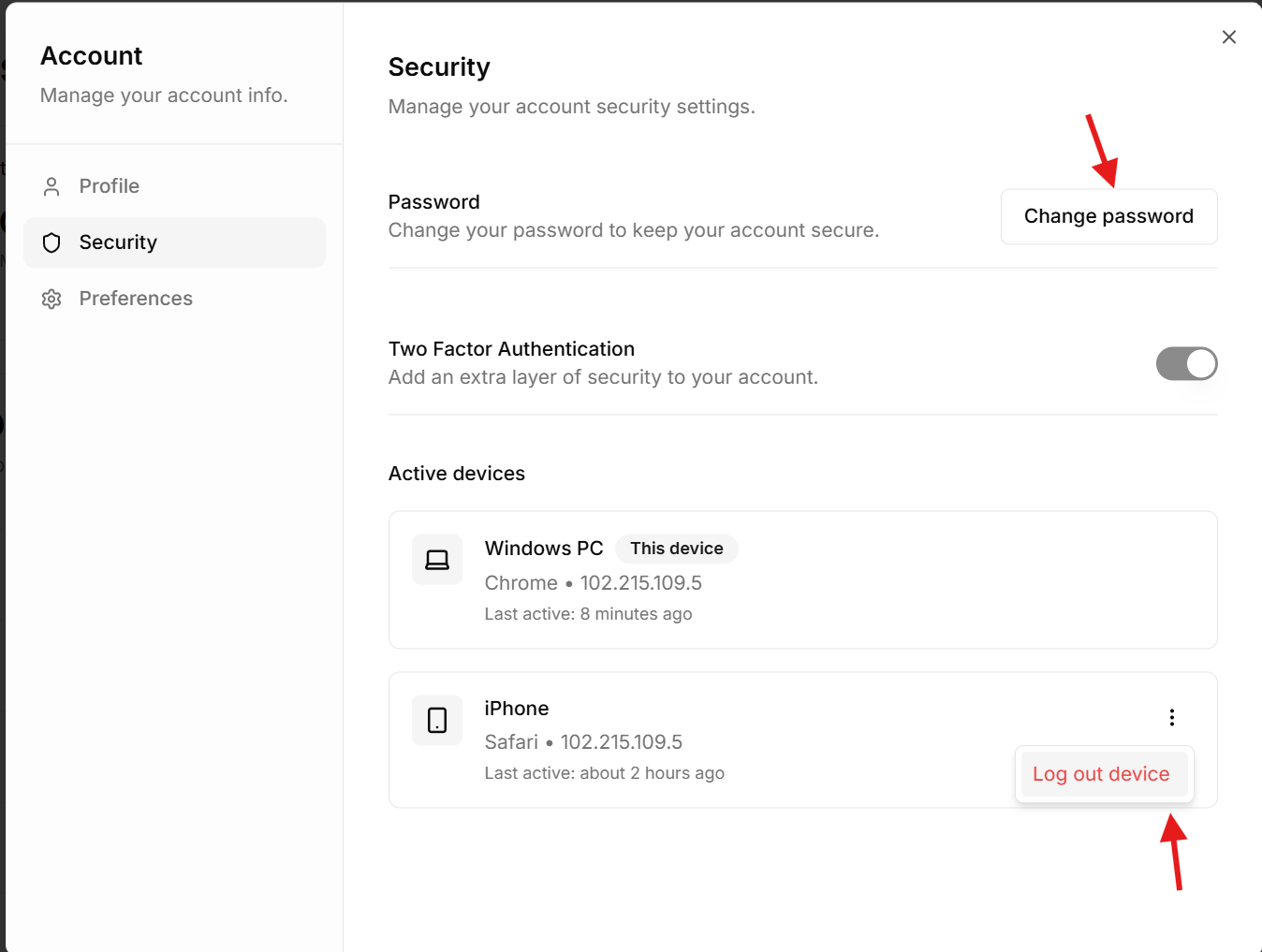
XenFi allows you to manage active sessions>log out any unauthorized users instantly.
Here is how to do it:
Go to your XenFi dashboard
Look at the top right corner and click> Select Manage Account
Navigate to Security
Click>Sign out all devices or remove any unknown sessions
This action ensures that anyone who previously had access is immediately logged out.
(Tip: This is>Step 3: Change Your Password Immediately)
After securing your email and signing out unknown devices:
• Create a strong new password
• Avoid using common or reused passwords
• Do not share your password with anyone
A strong password adds an extra layer of protection to your account.
Step 4: Never Share Your OTP
One of the most common ways accounts get compromised is through sharing OTP (One-Time Password) codes.
Remember this:
• XenFi will never ask you to share your OTP with anyone
• No technician or support staff should ever request your OTP
• If someone asks for your OTP, treat it as a red flag
Sharing your OTP gives full access to your account, even if your password is secure.
Step 5: Review and Clean Up Access
Take time to review who has access to your account:
• Remove any users you do not recognize
• Limit admin or super admin access
•>If you are unsure about any account activity, it is always safer to restrict access first and then reassess.
Final Thought
Account security is not just a technical matter, it is a business priority. Your XenFi account controls your operations, your users, and most importantly, your earnings.
If you ever suspect that your account has been compromised, act immediately using the steps above.
Stay alert.
Stay in control.
And protect your WiFi business at all times.
